DS900X Service Indicator Reset
Three-button procedure to reset the service-due reminder on the DS900X TFT after an oil change or scheduled service. Takes 10 seconds.
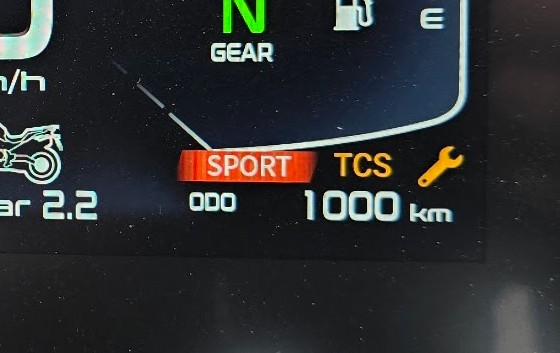
When the DS900X hits a service interval, a wrench icon appears on the TFT and stays there until reset. The bike has no way of knowing you did the work, so you have to clear it manually.
The reset
- Press ENT (left switch cube) to open the dashboard menu.
- Scroll down to My vehicle.
- Enter My vehicle, then hold the up-arrow for 2 seconds.
- The service indicator disappears.
When to use it
After you (or your dealer) have done the work: oil change, coolant change, or any other scheduled service. Don't reset before doing the service; the indicator is what reminds you to do it.
What gets reset
Just the service-due countdown. Odometer, trip meters, firmware versions, ride mode, and Voge Global app settings are unaffected.
If the indicator doesn't clear, you probably released the up-arrow too early. Hold it for a few full seconds, not a quick tap.